
Your Terminal. Every Move Connected.
Plan, coordinate, and monitor vessel, yard, gate, and cargo activities through one connected terminal platform.
Request a demo ↗
Smart Terminal – Terminal Operating System
Overview
Smart Terminal is a Terminal Operating System (TOS) designed to bring terminal planning, cargo handling and operational monitoring into one connected environment.
From vessel and quay activities to yard inventory and gate movements, Smart Terminal helps terminal teams coordinate the movement of cargo and maintain a clear view of daily work.
Visual planning tools, operational dashboards and mobile data capture connect office planning with activity on the ground, supporting consistent information across the terminal.
Key capabilities
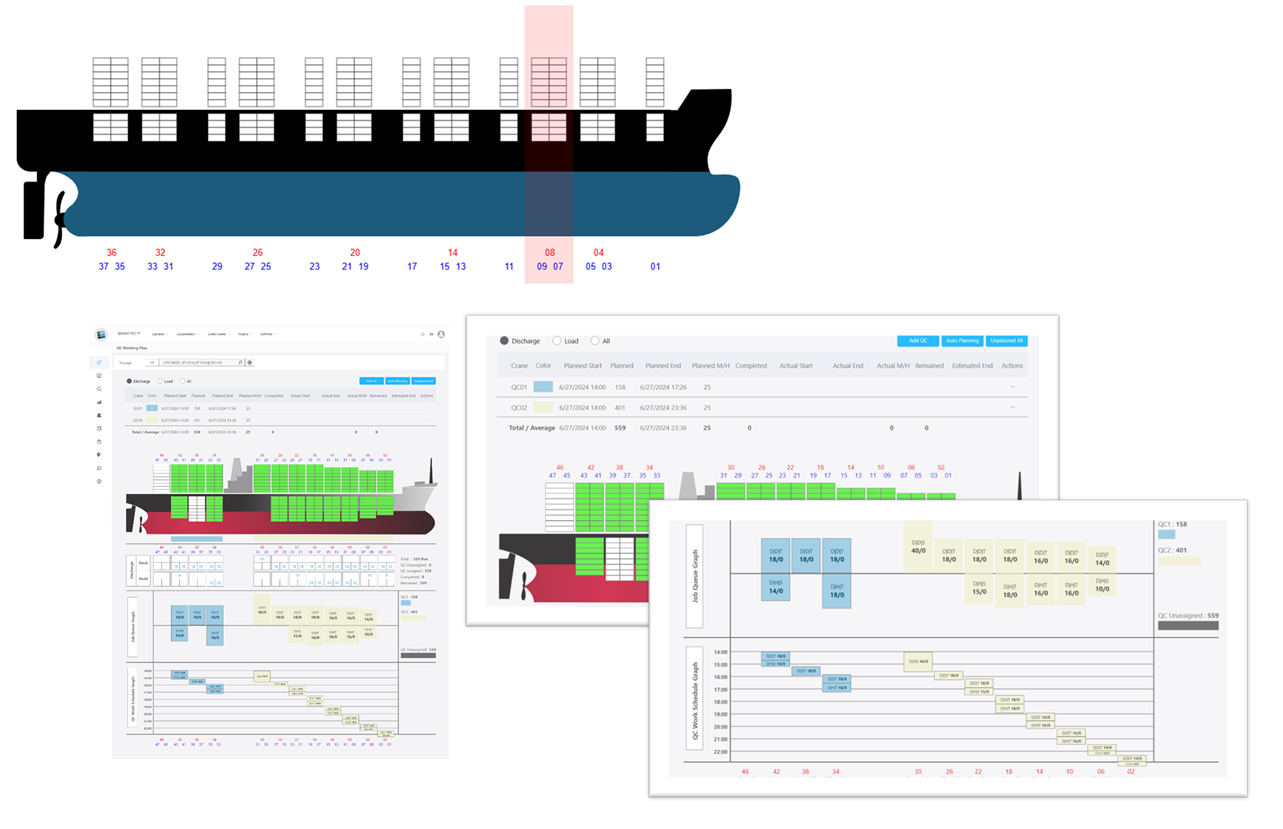
- Vessel and Quay Operations: Plan and monitor loading, discharge and restow activities, review vessel bay information, and coordinate quay crane work.
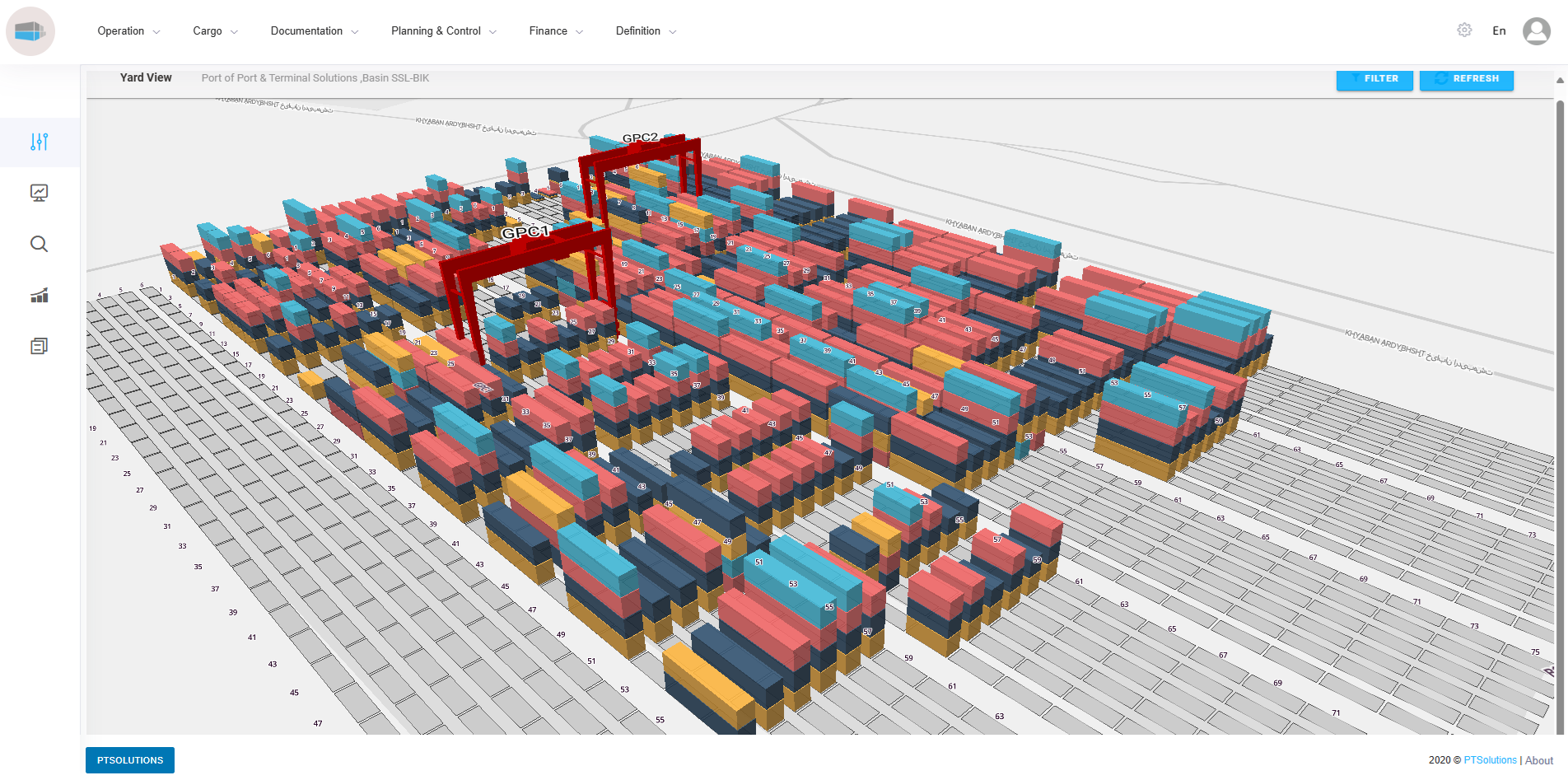
- Yard Planning and Visualization: View yard layouts, container positions and equipment in a visual environment, and use planning rules to organize storage and handling.
- Cargo and Inventory Management: Track cargo arrivals, inventory, departures and container histories, including full inbound, export and empty depot workflows.
- Gate and Landside Coordination: Support acceptance and release workflows and connect gate activity with yard handling and onward cargo movements.
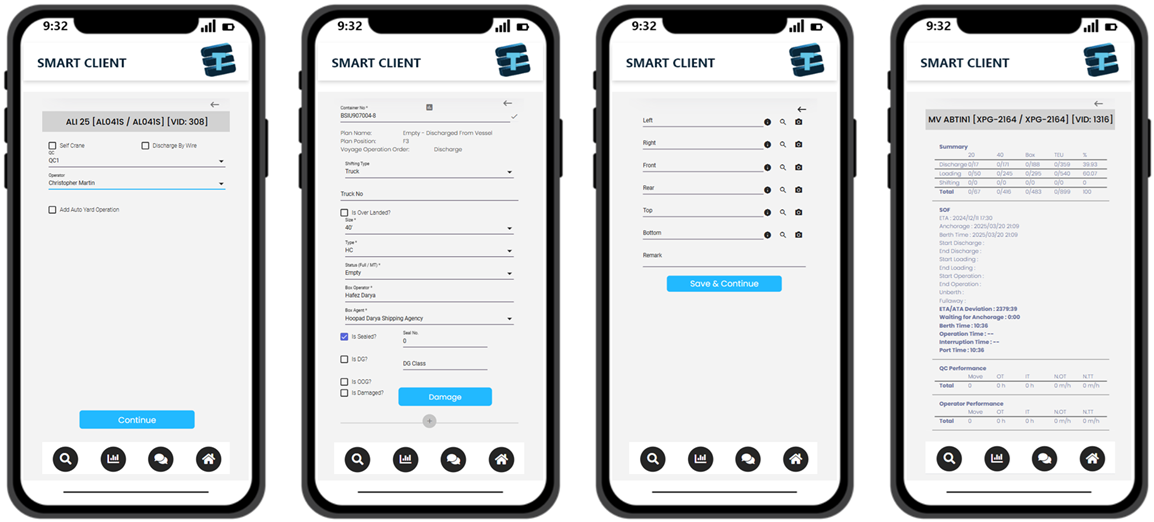
- Mobile Operational Data Capture: Record handling activities, equipment assignments, container details and damage information through mobile interfaces used by operational teams.
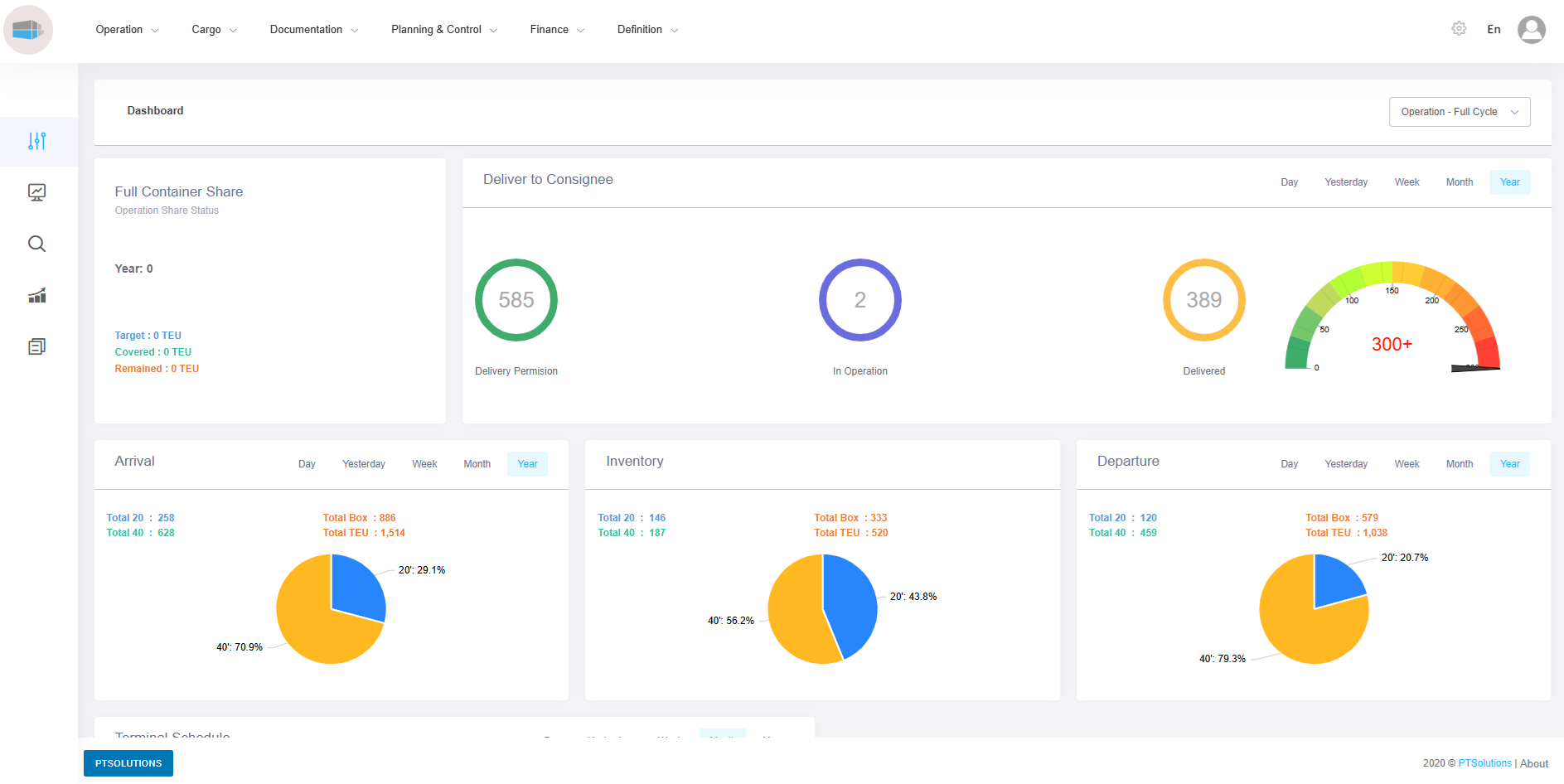
- Operational Monitoring and Reporting: Review vessel progress, cargo flows, inventory and terminal indicators through dashboards and operational views.
Business benefits
Smart Terminal helps teams improve operational visibility, coordinate handling activities and reduce reliance on disconnected records and manual handovers.
A shared view of cargo, equipment and work progress supports better planning, clearer communication and more traceable terminal operations.
Connected operations
As part of Smart Suite, Smart Terminal connects terminal activity with Smart Port, Smart Billing and Smart Data. Smart Community supports interaction with external stakeholders, while the Smart Client Endpoint connects field data capture with operational processes.
See the terminal in action.
Screens from the SMARTEC terminal interface and Smart Client mobile workflows. Select an image to open it full size in a new tab.
Visualize the terminal yard
View container positions, yard blocks and equipment in a three-dimensional layout.
 View full size ↗
Coordinate vessel and quay planning
Review vessel bays, crane assignments and work schedules.
 View full size ↗
Monitor cargo flows
Review arrival, inventory, departure and delivery indicators.
 View full size ↗
Connect field teams with operations
Mobile screens support equipment selection, handling records, damage capture and operational summaries.
 View full size ↗
Explore more terminal screens
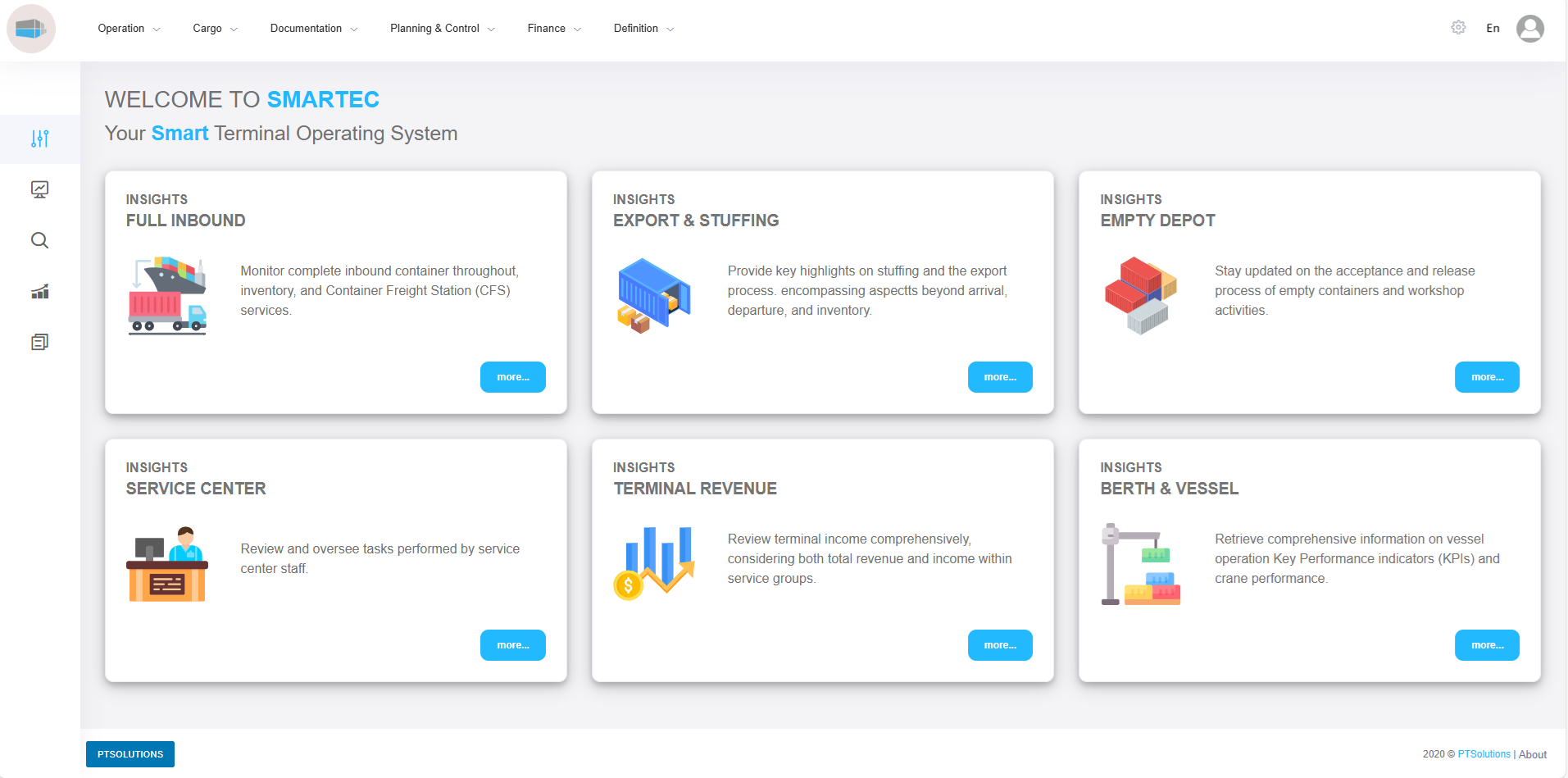
Explore the operational workspace
Access inbound, export, empty depot, service center and vessel insights.
 View full size ↗
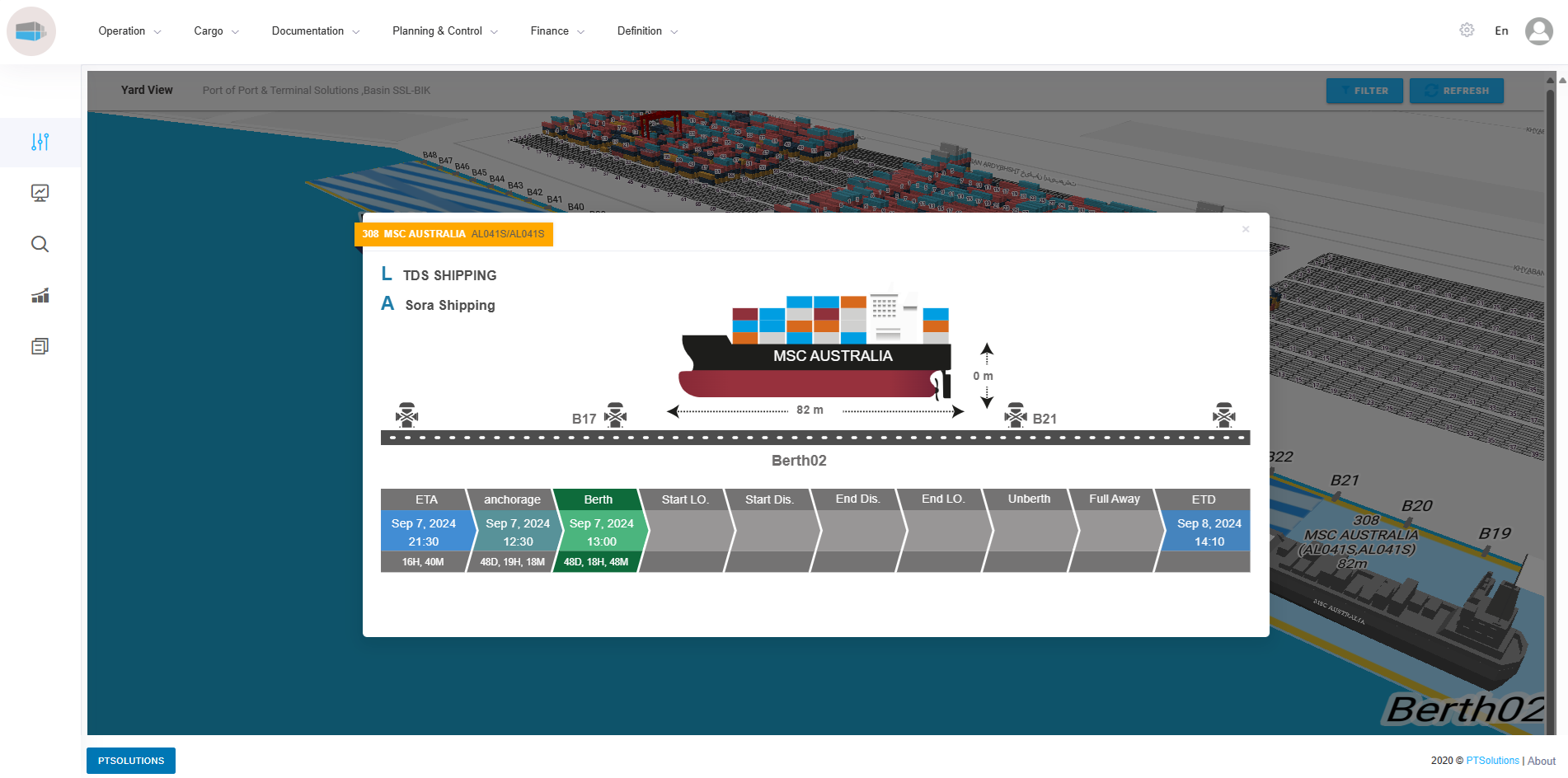
Review berth and vessel details
Inspect vessel information and operational milestones from the terminal view.
 View full size ↗
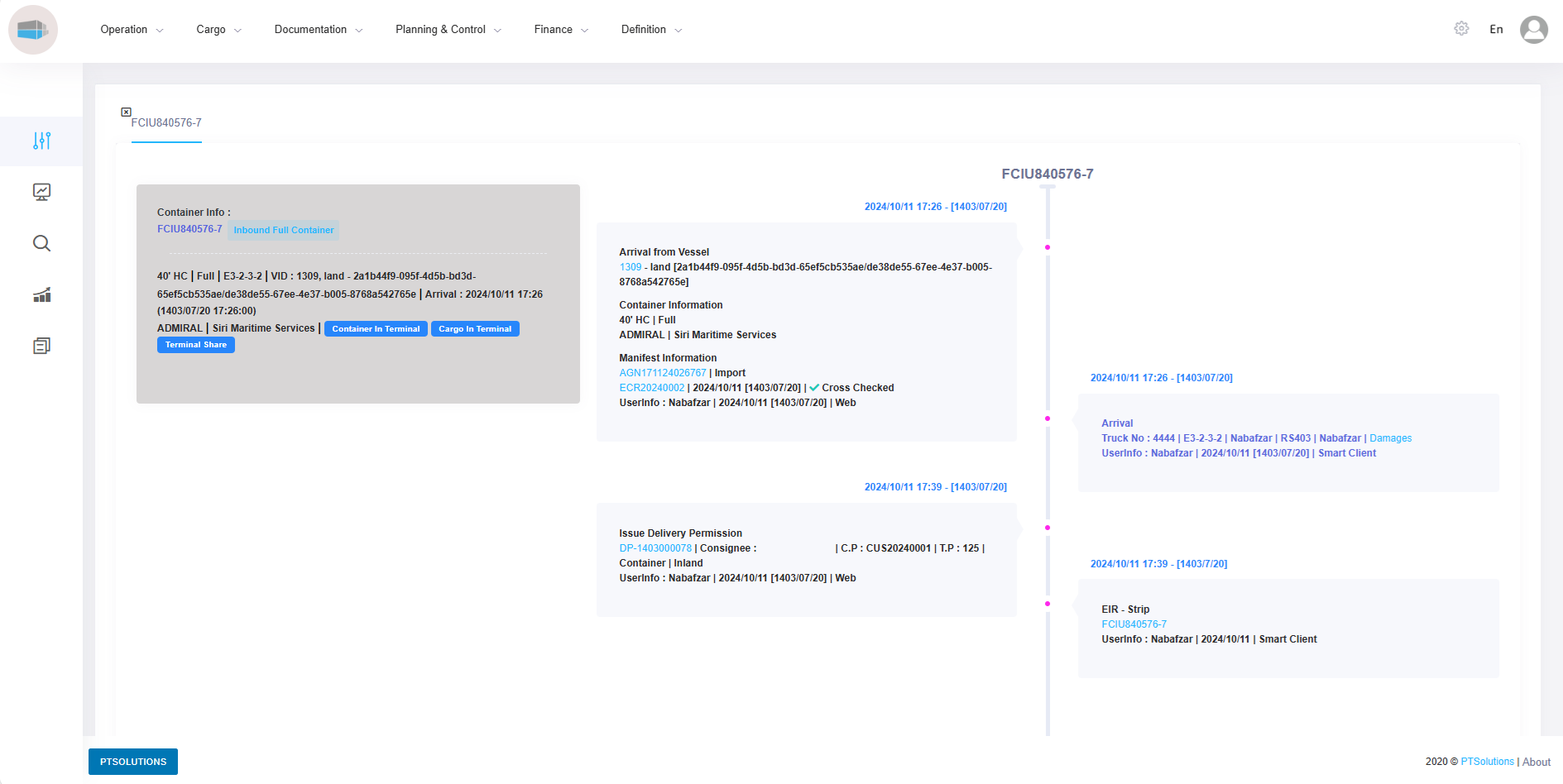
Trace container history
Follow recorded events and documents through the container lifecycle.
 View full size ↗
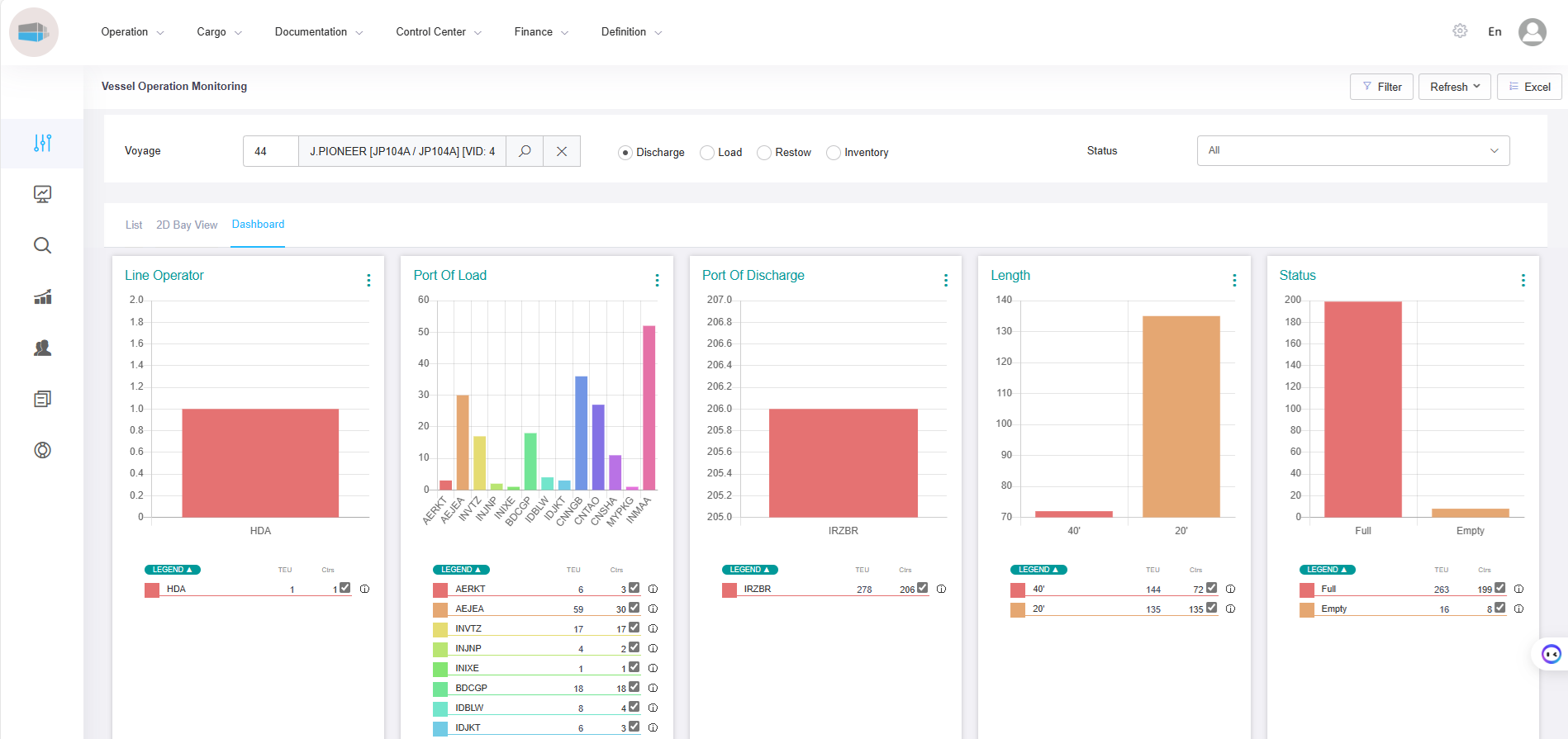
Analyze vessel activity
Review operational breakdowns by line, ports, container length and status.
 View full size ↗
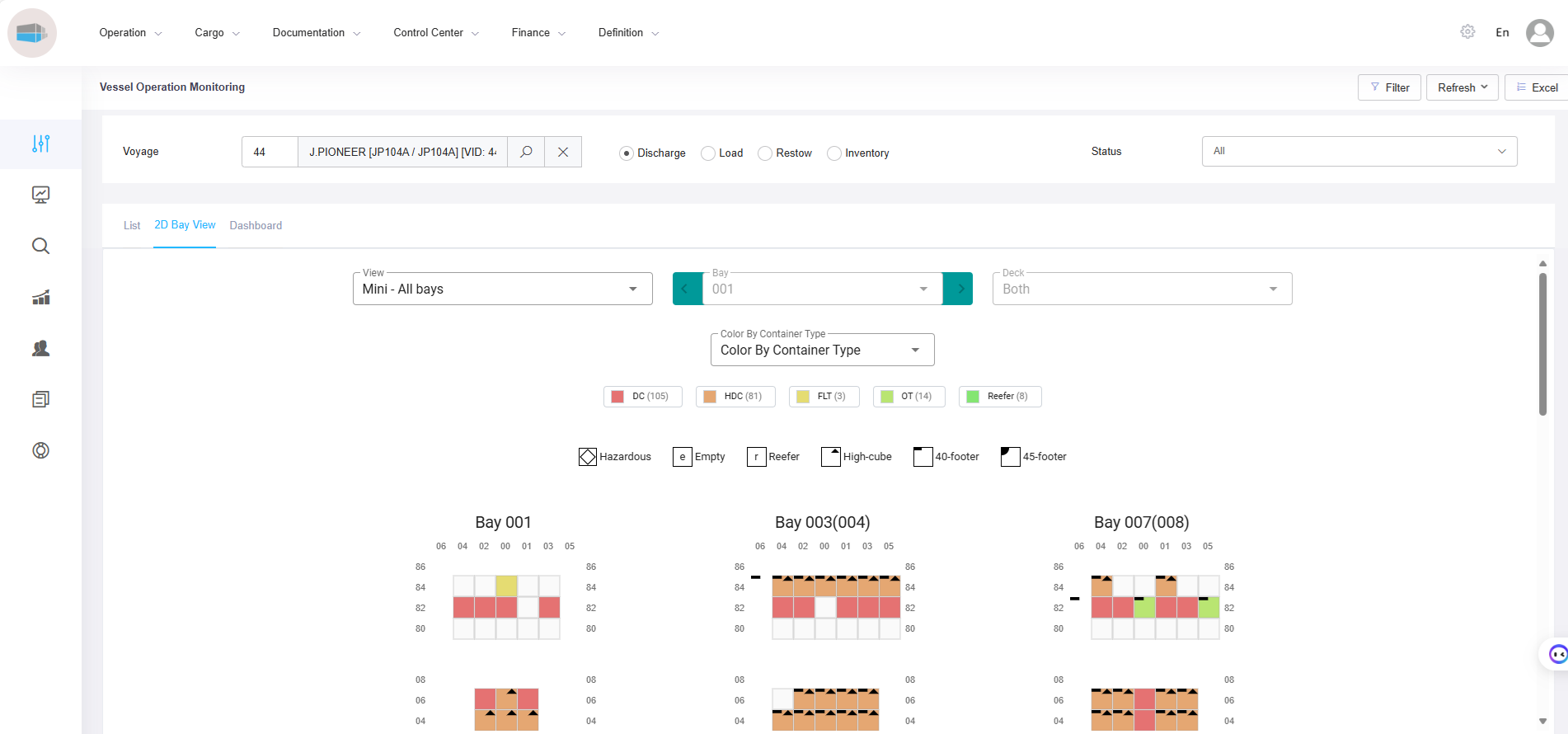
Inspect vessel bay views
Explore container arrangements using bay views and visual categories.
 View full size ↗
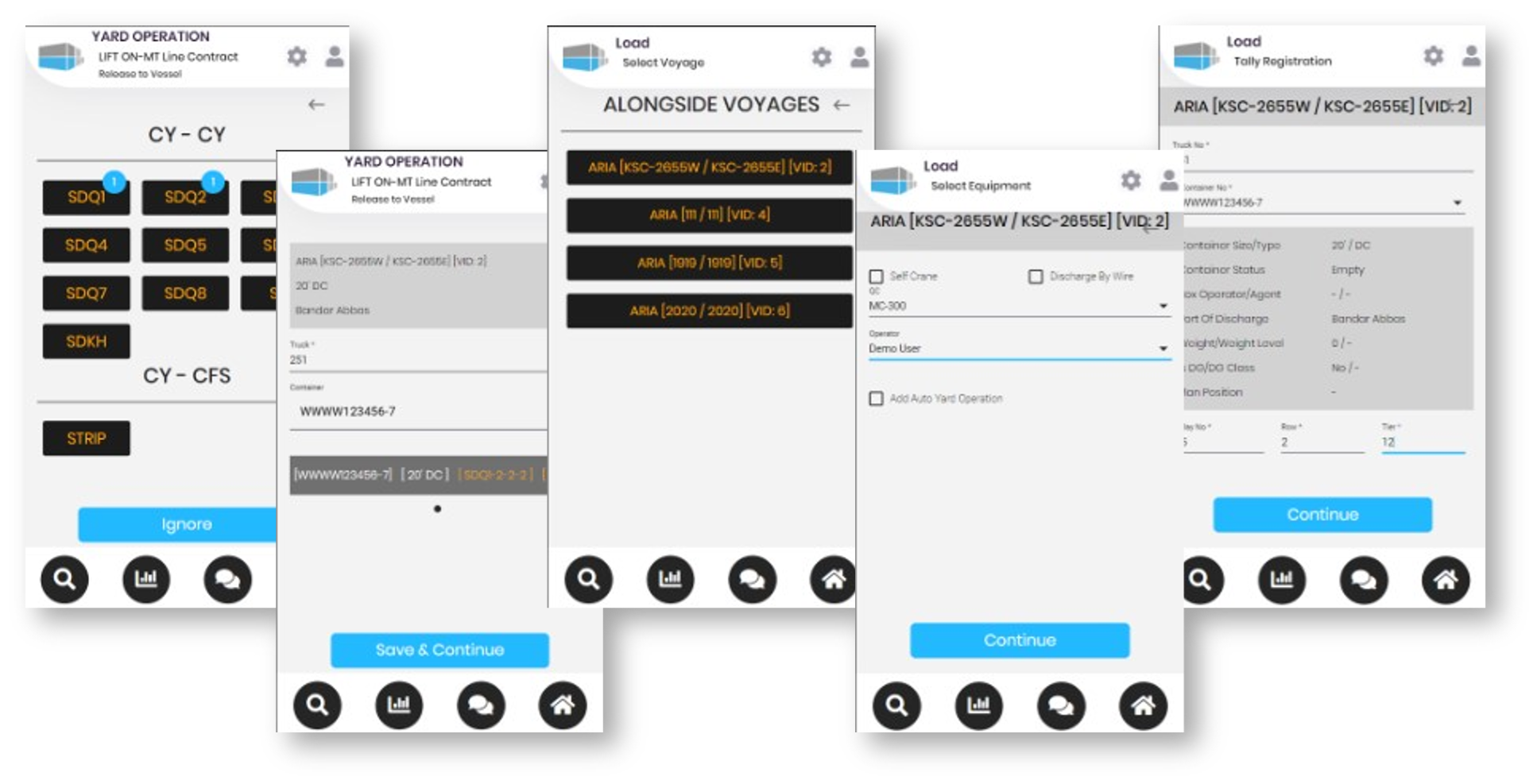
Record loading and yard activities
Mobile workflows capture voyage, equipment and handling information.
 View full size ↗
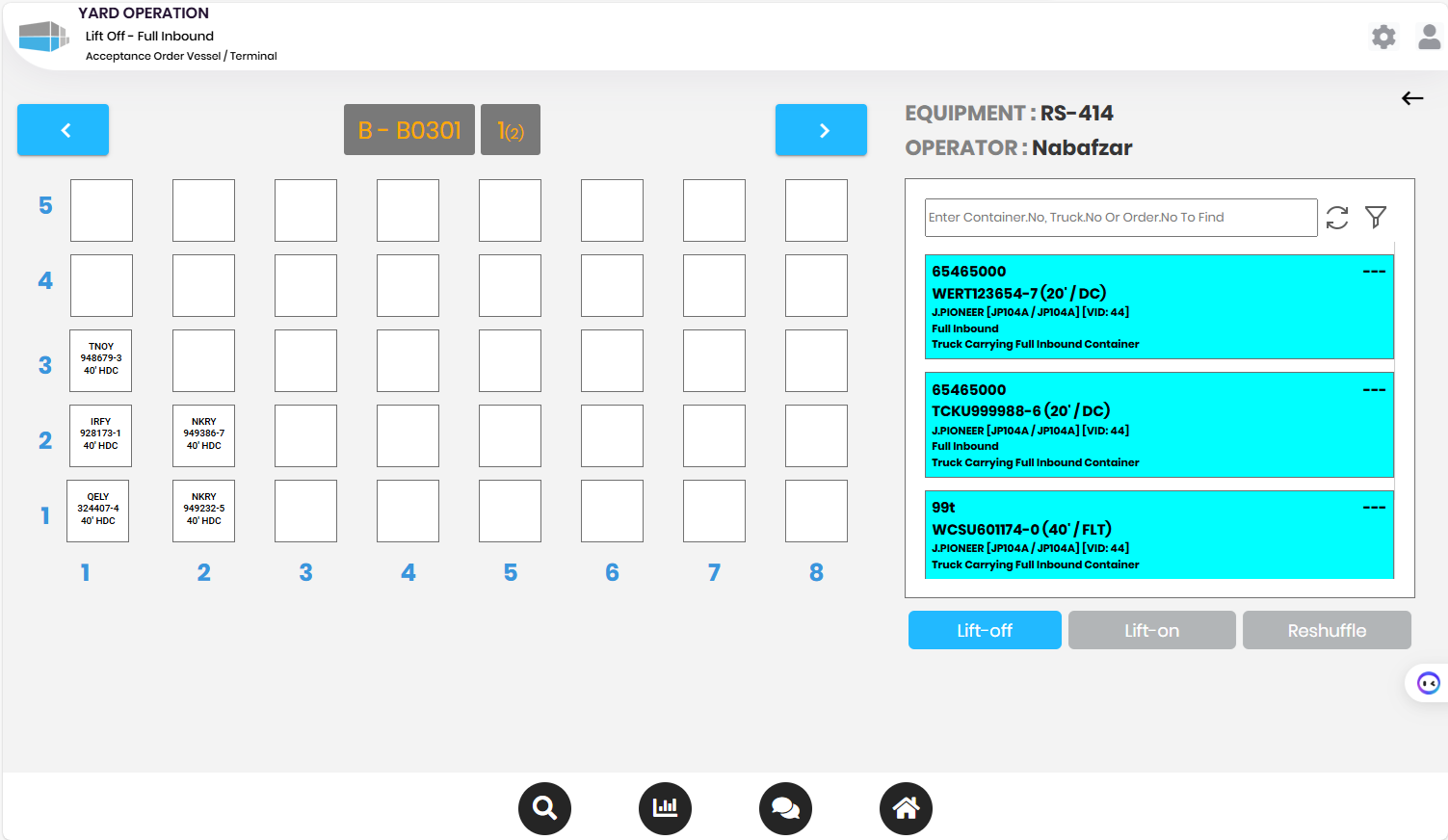
Support equipment operators
Review work items alongside yard positions and handling actions.
 View full size ↗
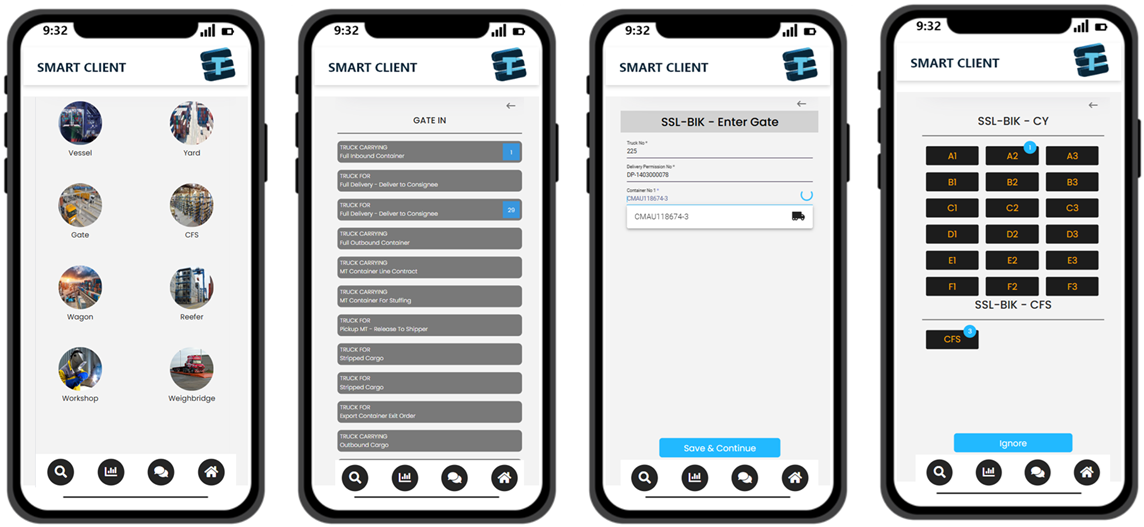
Connect gate and yard workflows
Mobile interfaces support acceptance, gate entry and yard selection.
 View full size ↗
Bring planning and history together
Planning rules, visual yard views and container histories support operational review.
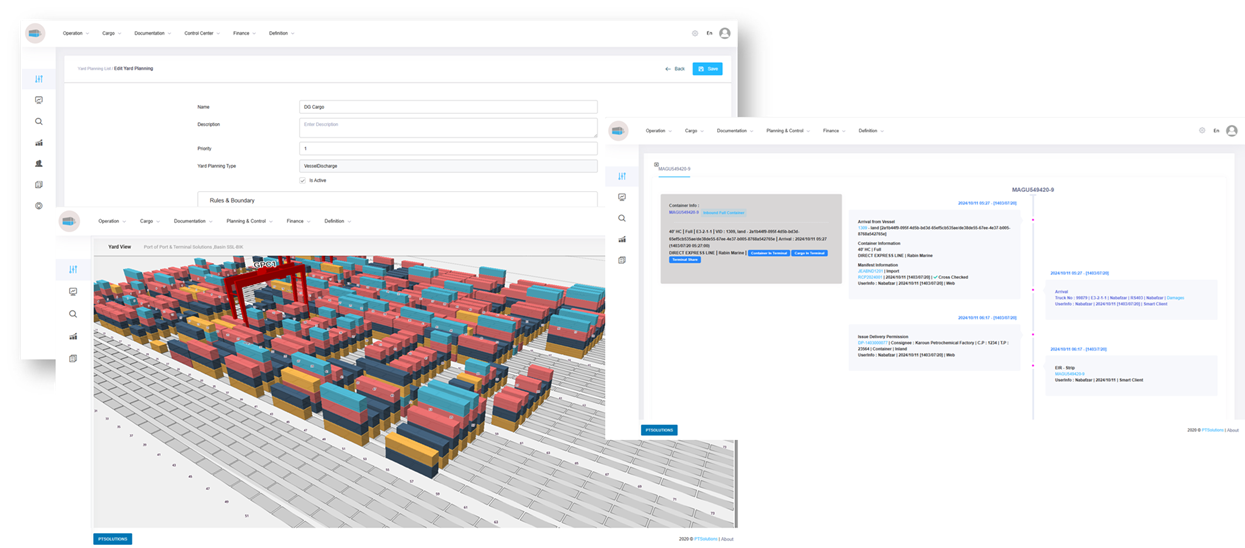 View full size ↗
Review vessel monitoring dashboards
Compare operational information across several dimensions.
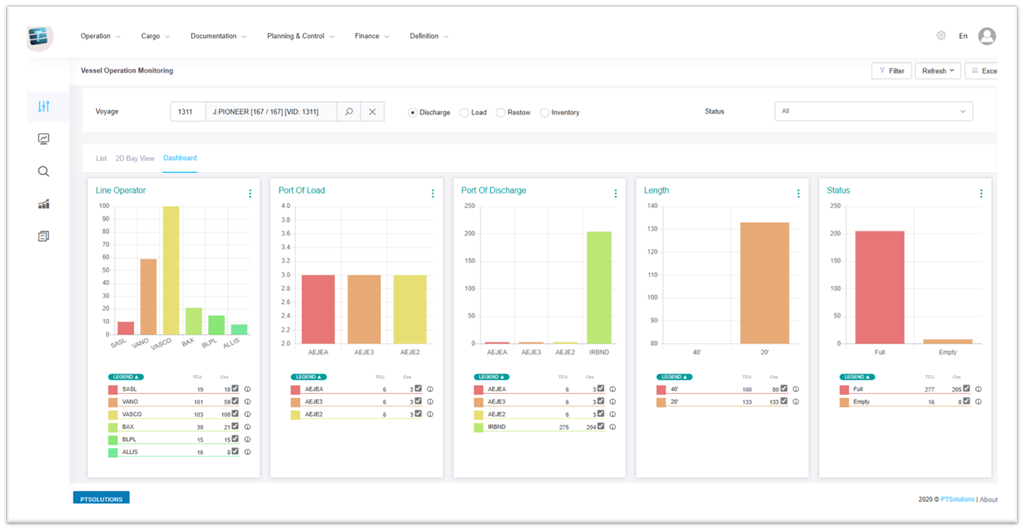 View full size ↗
Follow work progress and bay details
Review planned work, handling records and container bay views.
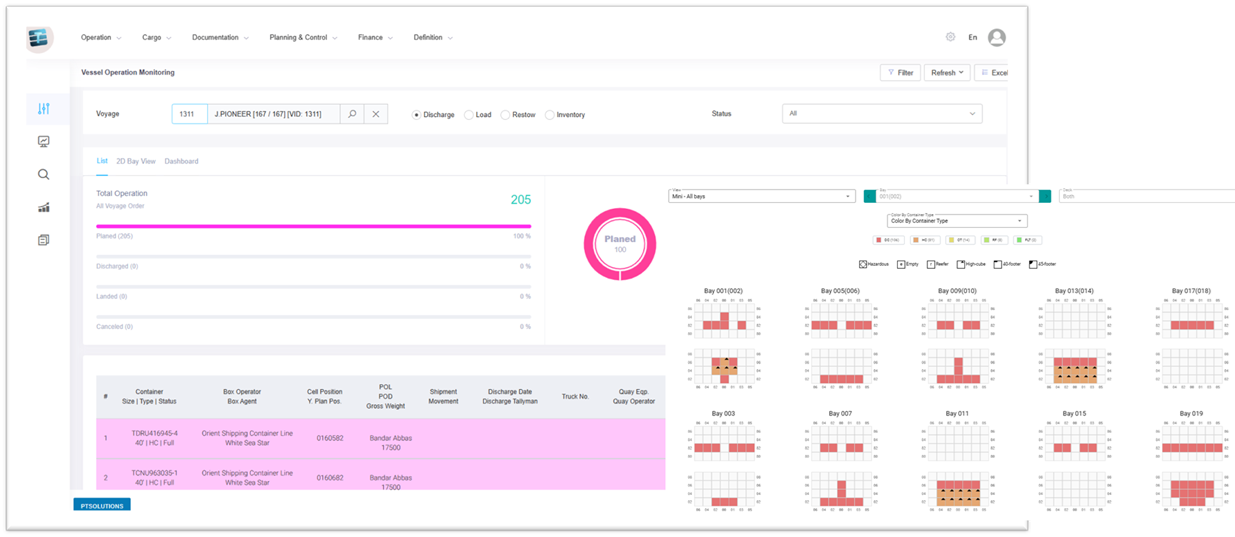 View full size ↗
Product brochures
Contact us for the latest product information.
Let’s talk about your terminal.
Tell us about your operations. We’ll help you explore the right solution.